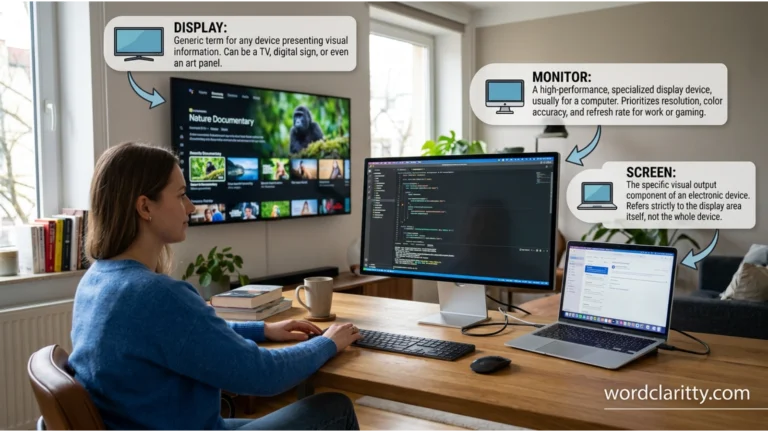
Screen vs Monitor vs Display are terms that many people use interchangeably, but they do not always mean the same thing.
Understanding the difference between these words is important, especially when discussing computers, televisions, smartphones, and other digital devices. While a screen is the physical surface where images appear, a monitor is a specific type of display device used with computers, and a display is the broader term for any technology that shows visual information. Knowing these distinctions can improve both your technical knowledge and everyday communication.
In this guide, we will explore screen vs monitor vs display, explain how each term is used, and help you choose the correct word in different situations with simple, easy-to-understand examples.
Table of Contents
- Introduction
- Why “Screen,” “Monitor,” and “Display” Are Confusing
- Screen vs Monitor vs Display Explained Simply
- Understanding Similar Technology Terms in English
- What Are Similar Technology Terms?
- Why They Cause Confusion
- What Does “Screen” Mean?
- What Does “Monitor” Mean?
- What Does “Display” Mean?
- Screen vs Monitor vs Display: Key Differences at a Glance
- How to Remember the Difference Between Screen, Monitor, and Display
- Common Mistakes and Confusions
- Examples Section: Correct and Incorrect Usage
- Self Assessment: Test Your Knowledge
- Self Assessment Answers
- FAQs About Screen, Monitor, and Display
- Final Conclusion: Using Screen, Monitor, and Display Correctly
Why “Screen,” “Monitor,” and “Display” Are Confusing
Many people confuse these words because they are often used in similar situations.
Similar Pronunciation
Although the words do not sound alike, they are frequently heard together when discussing technology. This repeated exposure causes learners to mix them up.
Similar Meaning
All three words refer to something that shows visual information. Because of this overlap, people often assume they mean exactly the same thing.
Context Confusion
In everyday speech, someone might say:
- “Look at the screen.”
- “Look at the monitor.”
- “Look at the display.”
Depending on the situation, all three statements could refer to the same device.
Common Learner Mistakes
Many learners:
- Call every visual device a monitor.
- Use display when they really mean screen.
- Think screen and monitor are identical.
- Do not understand the technical difference between the terms.
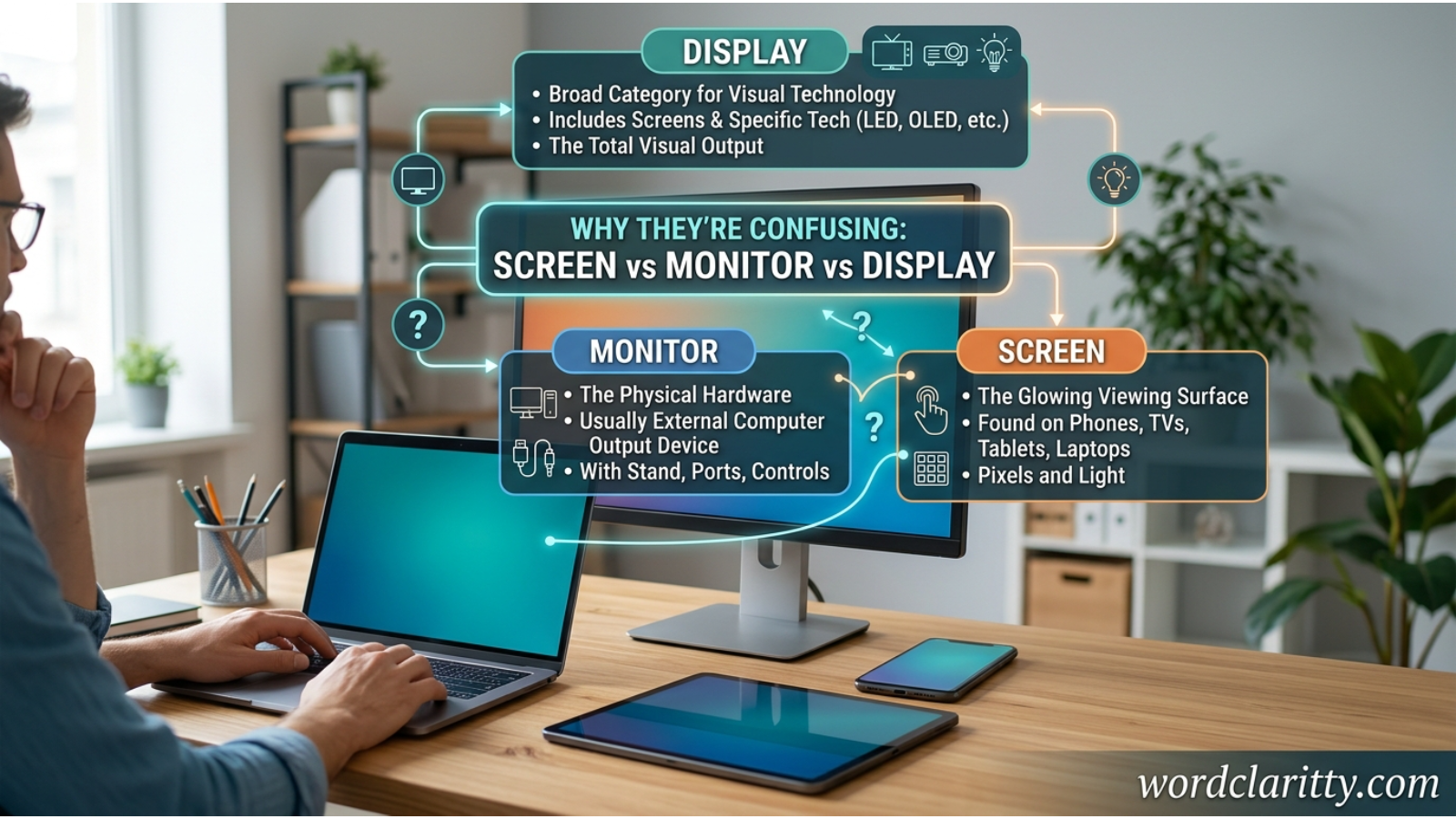
Screen vs Monitor vs Display Explained Simply
Simple Explanation
Screen means the physical surface where images appear.
Monitor means a complete computer output device that contains a screen and other electronic components.
Display is a broader term that refers to any technology or system used to show visual information.
One-Line Distinction
A screen is the visible surface, a monitor is the device, and a display is the visual output system.
Example Sentences
- The screen on my phone is cracked.
- I bought a new monitor for my desktop computer.
- The display becomes brighter in sunlight.
Screen means the viewing surface, while monitor means the entire computer display device, and display refers to the visual presentation of information.
Understanding Similar Technology Terms in English
What Are Similar Technology Terms?
Similar technology terms are words that describe related parts of a device or system but have slightly different meanings.
For example:
- Screen
- Monitor
- Display
These terms belong to the same technology category but are not always interchangeable.
Why They Cause Confusion
Technology vocabulary often evolves over time. As devices become more advanced, people begin using technical words more casually.
For example, many people say:
“My screen is broken.”
Technically, they might mean the entire monitor or device, not just the screen itself.
What Does “Screen” Mean?
Definition and Core Meaning
A screen is the physical surface where images, text, videos, and graphics appear.
It is the part you directly look at when using a device.
Key Characteristics
- Physical viewing surface
- Found on phones, tablets, TVs, and computers
- Shows images and information
- Part of a larger device
Origin and Historical Use
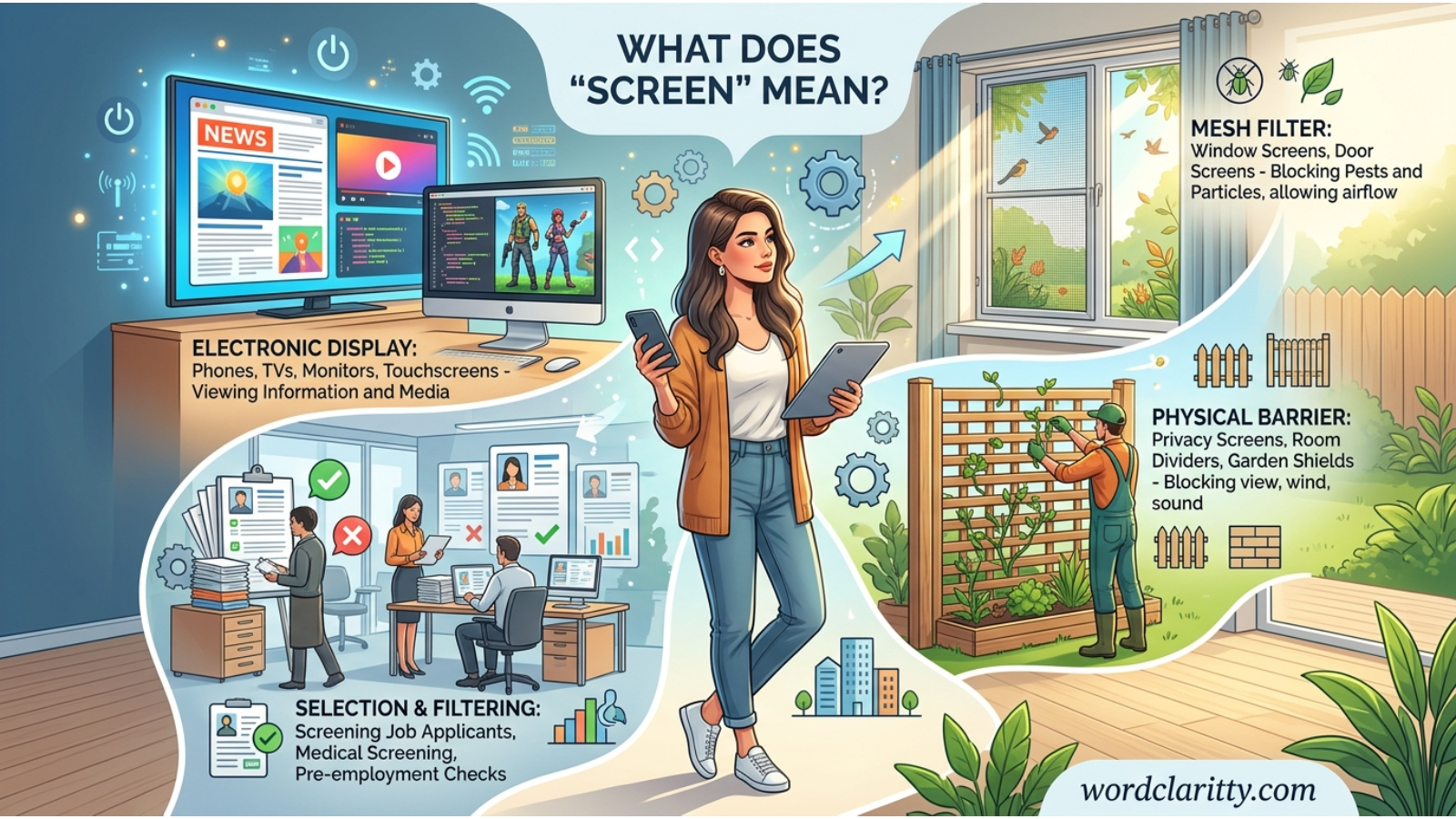
The word screen originally referred to a barrier or protective covering. Over time, it began describing surfaces used for projection and visual display.
As technology developed, the term became associated with television and computer viewing surfaces.
Modern Usage and Synonyms
Common synonyms include:
- Viewing surface
- Panel
- Touchscreen (for touch devices)
- Display panel
Example Sentences
- The phone screen is very bright.
- I cleaned my laptop screen.
- Her tablet screen has a scratch.
- The movie appeared on a giant screen.
What Does “Monitor” Mean?
Definition and Core Meaning
A monitor is an electronic device that displays information from a computer.
Unlike a screen, a monitor includes internal electronics, cables, and hardware.
Key Characteristics
- Complete computer output device
- Contains a screen
- Connects to a computer
- Available in different sizes and resolutions
Origin and Historical Context
The word monitor comes from a Latin word meaning “to warn” or “to observe.”
In computing, it became the name for devices that allow users to observe computer output.
Modern Usage and Synonyms
Common synonyms include:
- Computer monitor
- Display monitor
- Computer screen (informal)
- Visual display unit (VDU)
Example Sentences
- I bought a 27-inch monitor.
- The monitor is connected to my desktop.
- Her monitor supports 4K resolution.
- The office upgraded all its monitors.
What Does “Display” Mean?
Definition and Core Meaning
A display is the technology or system used to present visual information.
It can refer to a screen, a monitor, a smartphone display, a car dashboard display, or any visual output system.
Key Characteristics
- Broadest term of the three
- Refers to visual output
- Used in technical and marketing language
- Can describe both hardware and displayed content
Origin and Historical Context
The word display comes from Old French and originally meant “to spread out for viewing.”
Over time, it became associated with presenting information visually.
Modern Usage and Synonyms
Common synonyms include:
- Visual output
- Screen technology
- Display panel
- Presentation system
Example Sentences
- The display automatically adjusts its brightness.
- The car has a digital display.
- The smartwatch display is easy to read.
- This display technology saves battery power.
Screen vs Monitor vs Display: Key Differences at a Glance
| Word | Part of Speech | Meaning | Example Context |
|---|---|---|---|
| Screen | Noun | Physical surface showing images | “My phone screen is cracked.” |
| Monitor | Noun | Complete computer display device | “I bought a new monitor.” |
| Display | Noun/Verb | Visual output system or presentation | “The display is very clear.” |
Quick Summary
| Term | Scope |
|---|---|
| Screen | Smallest |
| Monitor | Medium |
| Display | Broadest |
How to Remember the Difference Between Screen, Monitor, and Display
Easy Memory Tricks
Screen = Surface
Think:
Screen = Surface
The screen is what your eyes directly look at.
Monitor = Machine
Think:
Monitor = Machine
A monitor is the complete device.
Display = Show
Think:
Display = Showing Information
It refers to visual output in general.
Association Technique
Imagine a desktop computer:
- The glass area = Screen
- The whole device = Monitor
- The images appearing = Display
Memorable Example
“The monitor contains a screen that creates a display.”
This single sentence helps remember all three terms.
Common Mistakes and Confusions
Mistake 1
❌ I bought a new screen for my computer.
✔ I bought a new monitor for my computer.
Explanation: If you purchased the whole device, monitor is more accurate.
Mistake 2
❌ The monitor on my phone is cracked.
✔ The screen on my phone is cracked.
Explanation: Phones have screens; monitor is generally used for computer display devices.
Mistake 3
❌ The screen technology improves battery life.
✔ The display technology improves battery life.
Explanation: Technical discussions often use display rather than screen.
Mistake 4
❌ This monitor is easy to see in sunlight. (for a smartwatch)
✔ This display is easy to see in sunlight.
Explanation: Display is more appropriate for wearable devices.
Examples Section: Correct and Incorrect Usage
Example 1
✔ Correct: The laptop screen is dirty.
✘ Incorrect: The laptop monitor is dirty. (Possible, but less natural when referring only to the surface.)
Example 2
✔ Correct: I connected a second monitor to my computer.
✘ Incorrect: I connected a second screen device to my computer.
Example 3
✔ Correct: The display automatically adjusts brightness.
✘ Incorrect: The monitor automatically adjusts brightness technology.
Example 4
✔ Correct: The phone screen cracked after it fell.
✘ Incorrect: The phone monitor cracked after it fell.
Example 5
✔ Correct: This car has a digital display.
✘ Incorrect: This car has a digital monitor.
Example 6
✔ Correct: My monitor supports high resolution.
✘ Incorrect: My screen device supports high resolution.
Self Assessment: Test Your Knowledge
Fill in the blanks using screen, monitor, or display.
1.
The __________ on my smartphone is scratched.
2.
I bought a new __________ for my desktop computer.
3.
The car’s digital __________ shows the speed.
4.
The __________ is the physical surface where images appear.
Self Assessment Answers
1.
Screen
2.
Monitor
3.
Display
4.
Screen
FAQs About “Screen,” “Monitor,” and “Display”
1. Is a screen the same as a monitor?
No. A screen is the viewing surface, while a monitor is the complete device that contains the screen.
2. Which term is more technical: screen or display?
Display is generally the more technical and broader term.
3. Can I call a monitor a screen?
Yes. In everyday conversation, many people do. However, monitor is more precise when referring to the entire device.
4. Why do smartphone manufacturers use the word display?
Because display refers to the technology and visual output system, not just the surface.
5. What is a display in electronics?
A display is any technology that presents visual information to a user.
6. Is a television screen or display?
It is both. The physical surface is the screen, while the visual system is the display.
7. Which word should English learners use most often?
Use:
- Screen for surfaces
- Monitor for computer devices
- Display for general or technical discussions
Final Conclusion: Using “Screen,” “Monitor,” and “Display” Correctly
Understanding the difference between screen vs monitor vs display can make your English more accurate and confident, especially when discussing technology. Although these terms are closely related, they are not identical. A screen is the physical surface where you see images and text. A monitor is the complete computer display device that contains the screen and supporting electronics. A display is the broadest term and refers to any system or technology that presents visual information.
In everyday conversations, native speakers often use these words interchangeably, which is one reason English learners become confused. However, knowing the precise meanings helps you communicate more clearly in professional, educational, and technical situations. Remember the simple rule: screen equals surface, monitor equals device, and display equals visual output.
A useful memory sentence is: “The monitor contains a screen that creates a display.” This quick trick captures the relationship among all three terms and makes them easier to remember.
As you continue learning English, pay attention to how these words are used in real-life situations, advertisements, product descriptions, and conversations. The more examples you see, the more natural their usage will become. Keep practicing, stay curious, and remember that mastering small differences like these is an important step toward becoming a more confident English speaker.